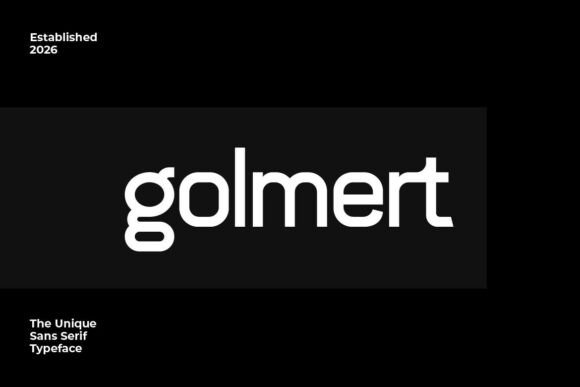
Softstroke: A Modern Sans Serif for Web Design
Testing Softstroke in a hero section of a new portfolio site was the first step in realizing its potential. As a web designer, I always look for a font that feels both professional and approachable. Softstroke delivered on both counts.
The typeface has a clean, modern aesthetic with subtle curves that give it a touch of elegance. It’s a sans serif, so it lacks the serifs that can sometimes feel outdated, but it still carries a sense of refinement. The uppercase characters are crisp, and the numbers and punctuation are well-proportioned, making it easy to use across different design elements.
When I placed Softstroke over an image banner for a creative coaching website, it immediately felt right. The font didn’t compete with the background but instead complemented it, allowing the visual content to shine while maintaining a strong typographic presence.
Using Softstroke in Digital Layouts
Softstroke works best in areas where clarity and style matter most. For a boutique online store, I used it for product titles and call-to-action buttons. Its simplicity made it easy to read at smaller sizes, and the modern look helped reinforce a sleek brand identity.
On a course sales page, Softstroke served as the primary heading font. It created a clear visual hierarchy, drawing attention to key messages without overwhelming the reader. The font’s balance between structure and softness made it ideal for short phrases and headlines that needed to stand out.
For a blog redesign, I paired Softstroke with a more traditional serif font for body text. This combination brought a sense of contrast and depth, making the content more engaging while keeping the overall design cohesive.
Readability and User Experience
One of the biggest concerns when choosing a font is how it performs on mobile screens. Softstroke holds up well at smaller sizes, making it a solid choice for responsive layouts. Whether it’s on a smartphone or a desktop monitor, the font remains legible and easy to scan.
I also tested it on dark backgrounds and found that it maintained good contrast without appearing too harsh. On light backgrounds, it looked clean and unobtrusive, which is important for user comfort and engagement.
When using Softstroke over image overlays, I noticed that it didn’t get lost in the background. The font’s weight and spacing allowed it to pop without needing additional styling, which is a big plus for designers looking to keep their code simple and efficient.
Designing with Softstroke
Softstroke is versatile enough to be used in multiple roles within a design system. It’s great for headers and subheaders, where boldness and clarity are essential. It also works well for logo text, especially for brands that want a modern, minimalist look.
For a digital brand kit, I used Softstroke as the primary display font. It gave the brand a consistent voice across all touchpoints, from social media graphics to email templates. The font’s neutrality made it easy to pair with other design elements without clashing.
When working on a campaign landing page, I found that Softstroke helped create a sense of urgency and professionalism. It was perfect for CTA buttons and headline copy, reinforcing the message without distracting the user.
Font Pairing and Style Options
While Softstroke is a standalone font, it pairs well with other typefaces. I often use it alongside a simpler sans serif for body copy, allowing it to take center stage in headings and banners. For editorial designs, pairing it with a serif font adds a layer of sophistication that feels natural and timeless.
Before implementing Softstroke on any project, I always check the available styles, weights, and language support. It’s important to ensure that the font includes the necessary characters for the target audience, especially if the site serves international users.
Webfont availability and licensing are also key considerations. Softstroke comes in multiple formats, making it easy to integrate into a website’s CSS. The commercial license allows for use on client projects and online stores, which is a big advantage for designers who work on a variety of sites.
Conclusion
Softstroke is a reliable choice for web designers looking to elevate their digital projects. Its clean lines, balanced proportions, and modern appeal make it suitable for a wide range of applications. Whether you’re building a portfolio, launching a product, or redesigning a blog, this font offers the flexibility and readability needed to create a polished online experience.
As a designer, I appreciate fonts that don’t require constant tweaking to look good. Softstroke does the work for you, letting you focus on the bigger picture of your design. It’s a premium font that feels accessible, making it a valuable addition to any digital toolkit.